
Introduction
Traffic shifting is a technique used to gradually route traffic from one version of a service to another and in the context of AWS Lambda, this can be useful for deploying new versions of functions with minimal impact on users.
How Traffic Shifting Works
The way that traffic shifting is working is by avoiding a full rollout of a new Lambda version to all users at once. Instead, the current version remains active while the new version is deployed alongside it. A traffic shifting strategy is then used to gradually route a controlled portion of traffic to the new version over time, ensuring a safe and incremental rollout.
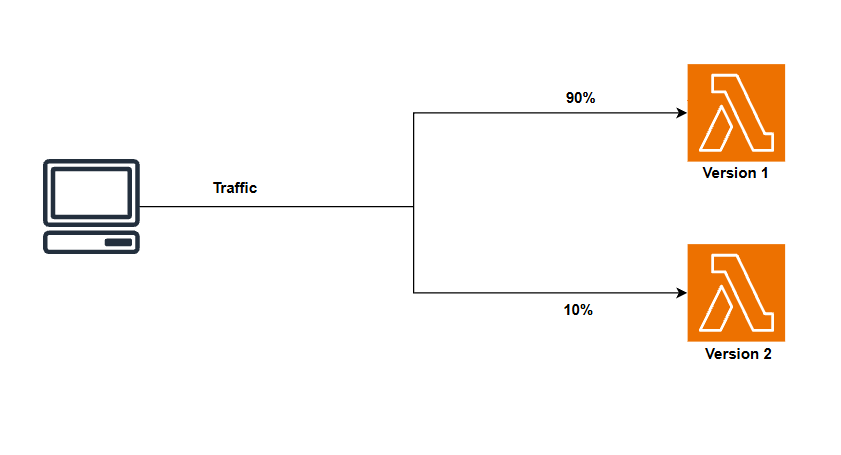
Traffic shifting example
This allows us to monitor the performance and behavior of the new version while still serving most of the traffic with the stable version. and in case of any issues we can quickly roll back to the previous version without affecting all users and if all goes well we can shift all traffic to the new version.
AWS Lambda uses versions and aliases to manage traffic shifting so before we deep dive into how to implement traffic shifting let's understand what are versions and alias.
Versions and Aliases
A version is a snapshot of a function's code and configuration at a specific point in time, each version is immutable that means one a version is created and published it cannot be changed but we can create new versions as we update our function code.
Creating a new version is simple we just need to publish the function and AWS Lambda will create a new version with a unique version number for example 1, 2, etc as shown in the image below
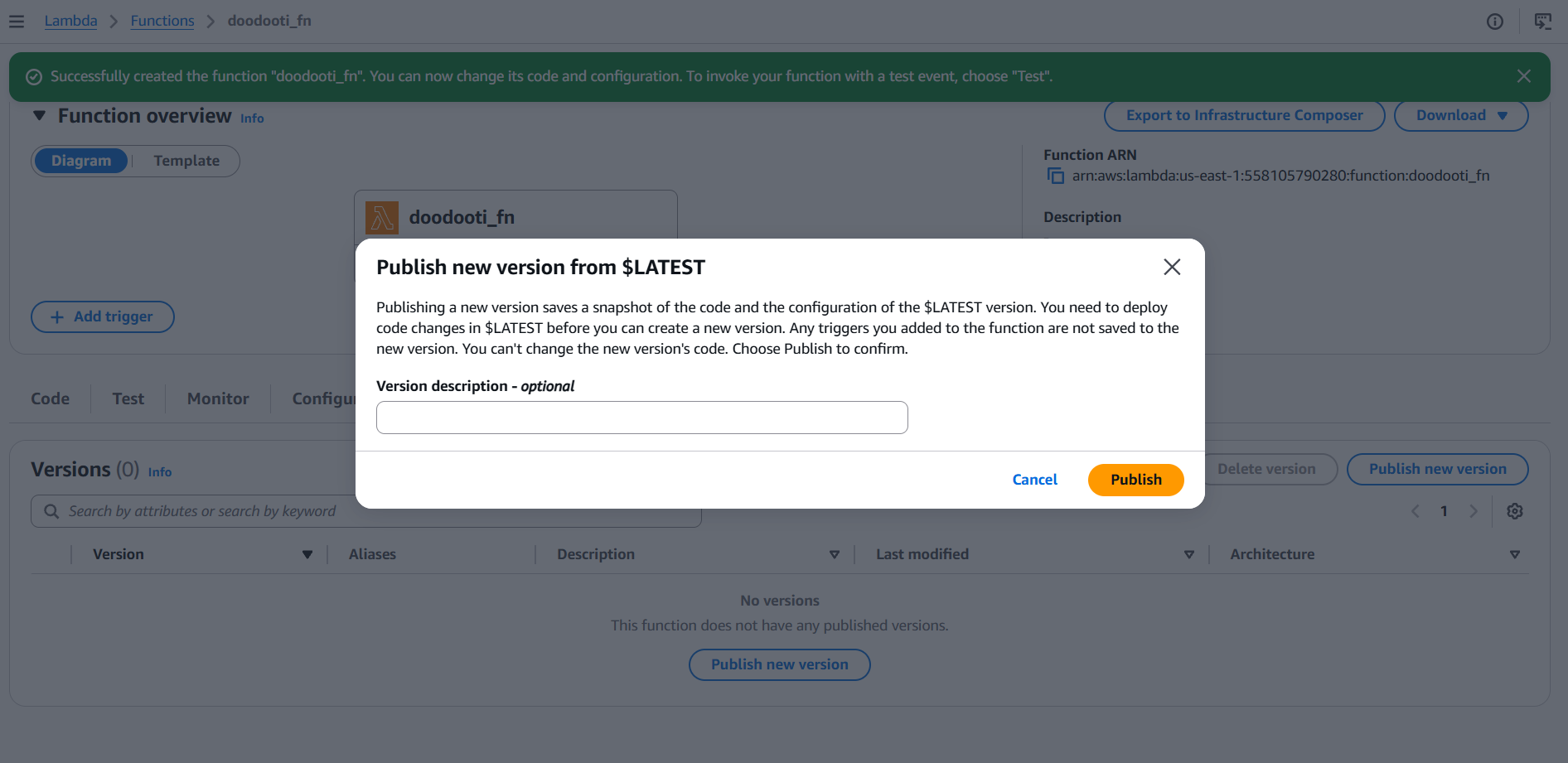
Lambda version creation
When we click on publish a new version will be created with the code and configuration of the $LATEST version as shown in the image below
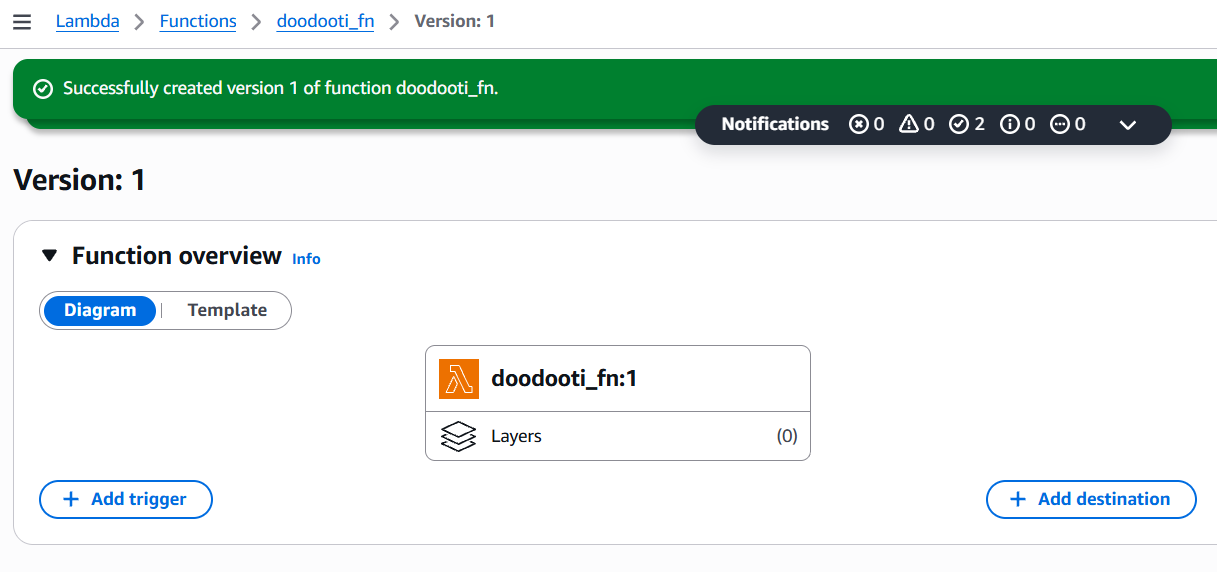
Version is created
To test our new version we can use the aws cli :
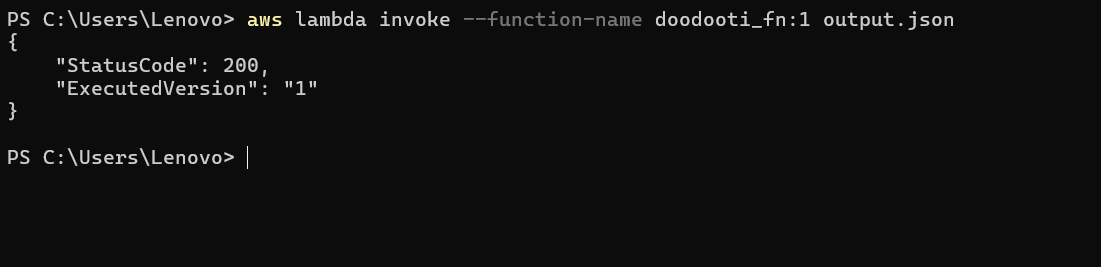
Testing the version 1 of doodooti_fn
As we see in the above image dealing with versions will make things more complex cuz each time we publish a new need to change the invocation settings to point to the new version for all clients and this problem can be solved by using aliases.
An alias is a pointer to a specific version of a Lambda function. Aliases allow us to abstract away the version number and provide a stable identifier for our function. We can create an alias that points to the latest version of our function and then update the alias to point to new versions as they are deployed.
To create an alias we can use the AWS CLI as shown in the image below
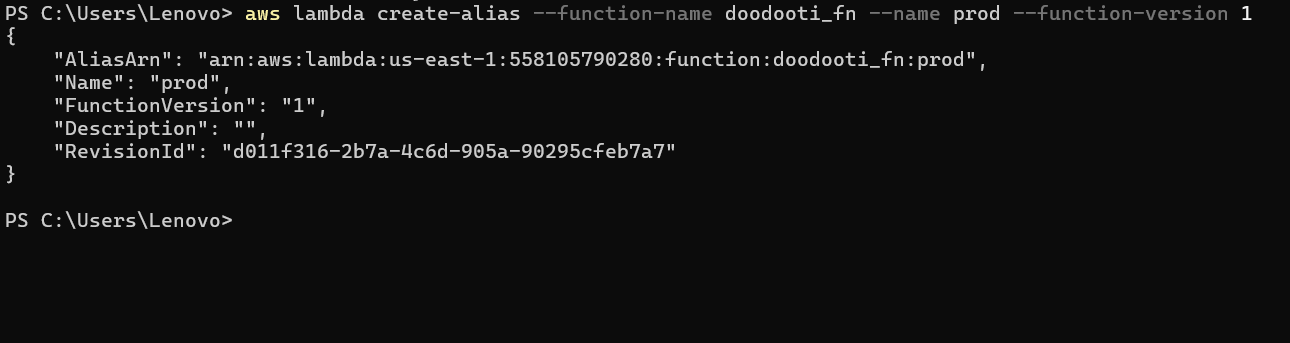
Creating an alias for version 1 of doodooti_fn
The alias created is named prod and it points to version 1 of the function so now we can use the alias to invoke the function instead of the version number, to invoke the function using the prod alias we use the aws lambda invoke as the image below shows:

Invoking the function using the alias
Now that we understand versions and aliases we are ready toimplement traffic shifting by configuring the alias to route a percentage of traffic to the new version, but before that we need to know that there are 3 traffic shifting strategies available in AWS Lambda:
- Linear: Shifts traffic in equal increments at regular intervals until 100% is reached.
- Canary: Shifts a small percentage first, then the remainder all at once after a set interval.
- All at once: Shifts 100% of traffic to the new version immediately.
Linear Strategy
The linear strategy allows us to shift traffic in equal increments at regular intervals until 100% is reached. For example, we can configure the alias to shift 10% of traffic to the new version every 5 minutes until all traffic is shifted. This approach provides a gradual rollout and allows us to monitor the performance of the new version at each step.
The implementation of the linear strategy can be done using AWS CLI using the folowing command:
  aws lambda update-alias \
    --function-name doodooti_fn \
    --name prod \
    --function-version 2 \
    --routing-config AdditionalVersionWeights={"1"=0.9}
The key here is that we configured the alias to route 90 percent of traffic to version 1 via the routing config and the other 10 percent goes to the new version 2.
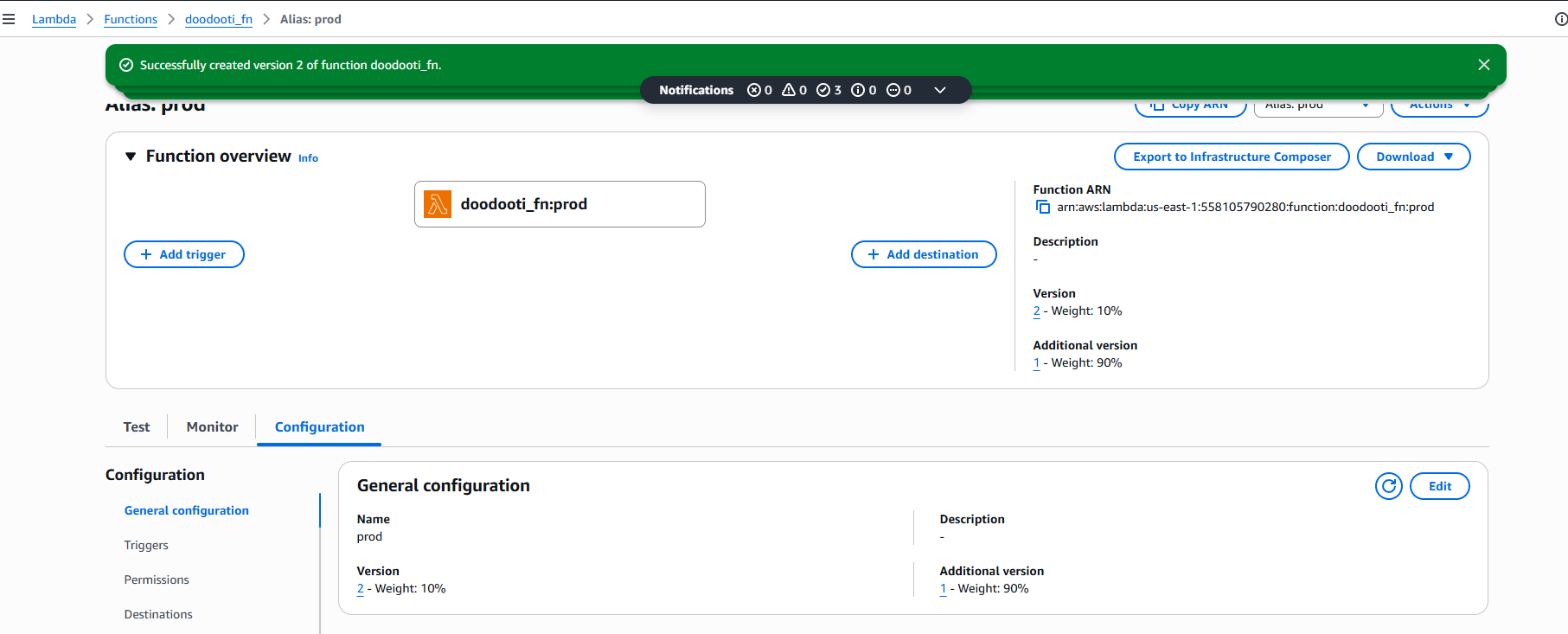
Linear traffic shifting
The problem with using AWS CLI is that we need to run the above command every time we want to shift traffic:
  # Minute 0
  aws lambda update-alias ... --routing-config AdditionalVersionWeights={"1"=0.9}  # 10% to v2

  # Wait 5 minutes:
  aws lambda update-alias ... --routing-config AdditionalVersionWeights={"1"=0.8}  # 20% to v2

  # Wait 5 more minutes:
  aws lambda update-alias ... --routing-config AdditionalVersionWeights={"1"=0.7}  # 30% to v2

  # Repeat until 100% is shifted to v2
To automate this process we can use AWS CodeDeploy which provides built-in support for traffic shifting strategies
To automate our traffic shifting strategy using AWS CodeDeploy we need to create a Code Deploy Applicationi will not go into details but what u should know is that in the appspec.yml file we can define the traffic shifting configuration.
AWS SAM is using CodeDeploy under the hood to manage traffic shifting when dealing with Lambda deployment:
//template.yaml
Resources:
  MyFunction:
    Type: AWS::Serverless::Function
    Properties:
      FunctionName: doodooti_fn
      AutoPublishAlias: prod
      DeploymentPreference:
        Type: Linear
        TrafficShiftType: Linear
        TrafficShiftInterval: 5
        TrafficShiftPercentage: 10
The code above automatically publish a new version and points the prod alias to it and shift traffic 10percent every 5 minutes using a linear strategy
Canary Strategy
The canary strategy is like the linear strategy but instead of shifting traffic in equal increments it shifts a small percentage first, then the remainder all at once after a set interval. For example, we can configure the alias to shift 10 percent of traffic to the new version for 10 minutes and then shift the remaining 90 percent all at once after the 10 minutes.
The implementation of the canary strategy can be done using AWS CLI using the folowing command:
  # Send 10% to v2
  aws lambda update-alias \
    --function-name doodooti_fn \
    --name prod \
    --function-version 2 \
    --routing-config AdditionalVersionWeights={"1"=0.9}

  # If all good, shift 100%
  aws lambda update-alias \
    --function-name doodooti_fn \
    --name prod \
    --function-version 2 \
    --routing-config AdditionalVersionWeights={}
All at once Strategy
The all at once strategy shifts 100 percent of traffic to the new version immediately. This approach is the fastest way to deploy a new version but it also carries the highest risk since all users will be affected by any issues in the new version.
  aws lambda update-alias \
    --function-name doodooti_fn \
    --name prod \
    --function-version 2 \
    --routing-config {}
Conclusion
Traffic shifting is a powerful technique for deploying new versions of Lambda functions with minimal impact on users, by using versions and aliases we can control how traffic is routed to different versions of our function and monitor the performance of new versions before fully shifting traffic to them.